Two Modes in One Application
UZMA is available in Online and Offline versions to suit every user's needs. Enjoy the same features in both versions, with the choice of a cloud-based system or local installation.
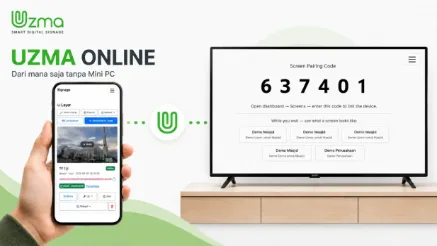
UZMA Online
A cloud-based platform that allows you to manage one or multiple Smart TVs from anywhere via the internet. No Mini PC required, and all content can be updated in real time using a laptop, tablet, or smartphone.
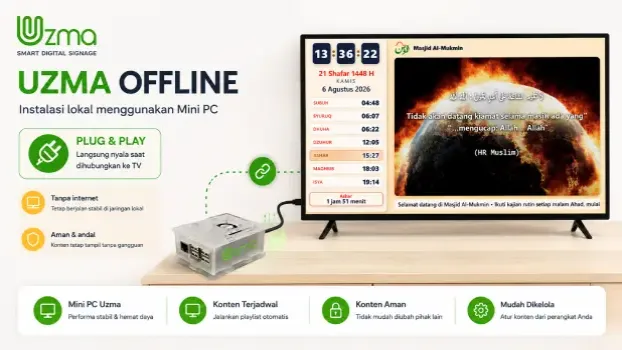
UZMA Offline
A locally installed platform that uses a Mini PC or PC as the content management center. It delivers stable and secure performance, making it ideal for locations with limited internet connectivity.
Online or Offline, Always Easy to Manage
UZMA can be used as a cloud service or installed entirely within your local network. Both versions can be managed through the same page using your smartphone.
Connect
Connect the UZMA device to your TV's HDMI port, then enter the code displayed on the screen into your account.
Manage Content
Manage slides, videos, scrolling text, Qari selection, audio schedules, and prayer time adjustments from one page.
Play Automatically
Save your settings, and the display will update automatically. Audio schedules and power management will run automatically throughout the day.
Suitable for Various Locations
Choose General Mode for versatile information displays, or Mosque Mode to add prayer schedules, adhan, and Qur'an recitations.
Qur'an Recitations by World-Renowned Qaris
Qur'an recitations play automatically before the adhan and resume from the last verse played, complete with on-screen verse indicators. Indonesian translations can be played after each verse, and the congregation's preferred Qari can be selected directly from a smartphone.